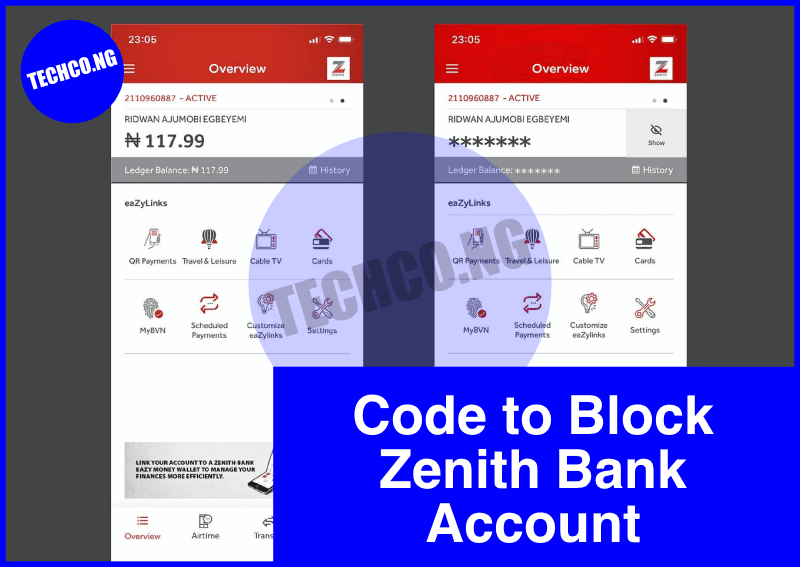
Code to Block Zenith Bank Account – In today’s digital age, safeguarding your bank account is crucial. If your Zenith Bank account is compromised or you suspect fraudulent activity, you must act immediately to block the account. Zenith Bank offers various methods to secure your account, including USSD codes, mobile app features, and direct contact with customer support.
This guide will walk you through all the steps you can take to block your Zenith Bank account effectively.
Quick Facts About Blocking Zenith Bank Account
| Category | Details |
|---|---|
| USSD Code for Blocking | 966911# |
| Alternative Methods | Mobile app, customer care, branch visit |
| Supported Networks | All major mobile networks in Nigeria |
| Cost of Blocking | Free |
| Availability | 24/7 |
Why You May Need to Block Your Zenith Bank Account
Blocking your Zenith Bank account might be necessary for several reasons, such as:
- Lost or Stolen ATM Card: Prevent unauthorized access to your funds if your card is misplaced.
- Suspicious Activity: Unusual transactions or fraud attempts warrant immediate action.
- Compromised Account Details: If your login credentials or PIN have been exposed.
- Stolen Mobile Device: Protect your account if your phone, linked to your banking profile, is lost or stolen.
How to Block Zenith Bank Account Using USSD Code
Zenith Bank has a dedicated USSD code for blocking accounts quickly without requiring internet access.
Steps:
- Dial *966*911# from the phone number linked to your Zenith Bank account.
- Enter your account number when prompted.
- Confirm the request to block your account.
- You will receive a confirmation message stating that your account has been blocked successfully.
This service is available 24/7 and ensures your funds remain secure.
How to Block Zenith Bank Account via the Mobile App
If you have access to the Zenith Bank mobile app, you can block your account with just a few taps.
Steps:
- Open the Zenith Bank mobile app on your smartphone.
- Log in using your credentials.
- Navigate to the “Account Services” or “Security” section.
- Select the option to block your account.
- Confirm your action.
Blocking your account through the mobile app provides a secure and convenient alternative.
How to Block Zenith Bank Account via Customer Care
If you cannot use the USSD code or mobile app, contact Zenith Bank customer care for assistance.
Customer Care Contact Information:
- Phone Number: +234 1 278 7000
- Email Address: zenithdirect@zenithbank.com
- Social Media:
- Twitter: @ZenithBank
- Facebook: Zenith Bank
You may be required to provide verification details such as your account number, date of birth, and recent transactions to confirm your identity.
Other Ways to Block Your Zenith Bank Account
1. Visit a Branch:
- Go to the nearest Zenith Bank branch with a valid ID and request to block your account.
- Provide necessary details for verification.
2. Email Request:
- Send an email to zenithdirect@zenithbank.com with the subject “Request to Block Account.”
- Include your account number, registered phone number, and a brief explanation of why you need the account blocked.
What Happens After Blocking Your Zenith Bank Account?
Once your account is blocked:
- All transactions, including withdrawals and transfers, will be suspended.
- Your account remains safe from unauthorized access.
- You can unblock the account or apply for a replacement ATM card (if applicable) by visiting a Zenith Bank branch.
Tips to Keep Your Account Secure
- Update Your PIN Regularly: Use a unique PIN and change it periodically.
- Monitor Transactions: Regularly check your account statements for any unauthorized transactions.
- Avoid Public Wi-Fi: Do not access your banking details over unsecured networks.
- Enable Notifications: Activate SMS or email alerts to track account activity in real time.
- Report Issues Promptly: Immediately report suspicious activity to Zenith Bank customer care.
Conclusion
Blocking your Zenith Bank account is a straightforward process that can save you from potential financial loss in emergencies. Whether you use the USSD code, mobile app, or customer care, acting quickly ensures the safety of your funds. Stay vigilant and make use of the various tools and services provided by Zenith Bank to enhance your account security.
Frequently Asked Questions
1. Is there a fee for blocking my Zenith Bank account?
No, blocking your account is free of charge.
2. Can I unblock my Zenith Bank account after blocking it?
Yes, you can visit a Zenith Bank branch with proper identification and request to unblock your account.
3. Can I block my Zenith Bank account from a different phone number?
No, you must use the phone number linked to your Zenith Bank account.
4. What if I lose my phone and can’t use the USSD code?
Contact Zenith Bank customer care immediately to block your account.
5. Will I still have access to online banking after blocking my account?
No, all account-related services, including online banking, will be suspended until you unblock your account.