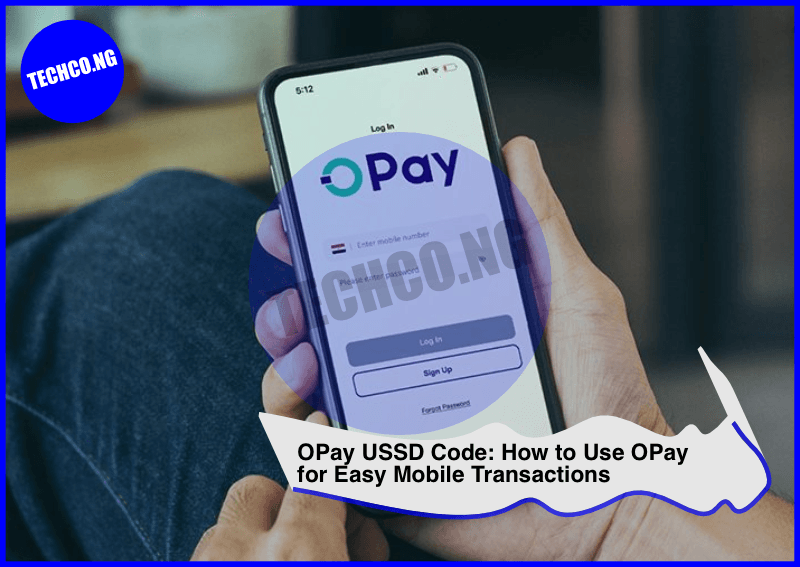
OPay USSD Code – OPay is one of the leading mobile payment platforms in Nigeria, offering a wide range of services such as money transfers, bill payments, airtime purchases, and more. With OPay’s USSD code, users can access these services directly from their mobile phones without the need for internet access.
In this blog post, we will explain how to use the OPay USSD code, the benefits of using it, and how to carry out various transactions.
Quick Facts About OPay USSD Code
| Category | Details |
|---|---|
| USSD Code | *955# |
| Supported Networks | All Nigerian networks (MTN, Airtel, Glo, 9mobile) |
| Account Creation | Available via USSD, mobile app, or website |
| Supported Services | Bill payments, money transfer, airtime recharge, etc. |
| Registration | Free and easy through the mobile app or USSD |
Introduction to OPay and USSD Codes
OPay is a mobile payment platform that offers financial services via an app and USSD code, making it accessible to a wider audience, including those who do not have access to smartphones or the internet. The OPay USSD code (*955#) provides a simple and quick way to perform transactions directly from your mobile phone, even if you’re using a feature phone.
By dialing *955#, users can carry out various transactions such as sending money, recharging airtime, paying bills, and more, all without the need for data or an internet connection.
How to Use OPay USSD Code
Here’s how you can use the OPay USSD code to perform a variety of services:
- Registering on OPay via USSD
- Dial *955# on your mobile phone.
- Follow the prompts to enter your full name, phone number, and other necessary details.
- Once your account is created, you will receive a confirmation message.
- Sending Money Using OPay USSD
- Dial *955# and select the option for money transfer.
- Enter the recipient’s phone number and the amount you want to send.
- Confirm your transaction by entering your PIN or password.
- Airtime Recharge
- Dial *955# and select the option for airtime recharge.
- Enter the amount you wish to top-up and the phone number to which the airtime will be credited.
- Confirm the transaction to complete the recharge.
- Paying Bills
- Dial *955# and navigate to the bill payment section.
- Choose the type of bill (e.g., electricity, TV subscription, etc.).
- Enter the necessary payment details and confirm the payment.
- Checking Account Balance
- To check your OPay balance, simply dial *955# and select the balance inquiry option. Your current balance will be displayed.
- Transferring Money
- To transfer money to another OPay user, dial *955#, select the transfer option, and follow the prompts to enter the recipient’s phone number and the amount.
Benefits of Using OPay USSD Code
OPay’s USSD code comes with several advantages, especially for users who don’t have access to smartphones or data connections:
- No Internet Needed: OPay’s USSD code allows users to carry out transactions without using mobile data or requiring an internet connection.
- Accessibility: The USSD code is available on all major mobile networks in Nigeria, including MTN, Airtel, Glo, and 9mobile, making it accessible to a larger audience.
- Security: OPay’s transactions are secured with a PIN or password, ensuring that your funds are protected.
- Convenience: Transactions can be completed in a few simple steps, making the platform user-friendly and easy to navigate.
- Wide Range of Services: With OPay’s USSD code, users can send money, purchase airtime, pay bills, and more, all from their mobile phones.
OPay vs Other Payment Methods
When comparing OPay’s USSD code to other mobile payment platforms, here’s how it stacks up:
| Feature | OPay USSD | Traditional Mobile Banking | Other Mobile Payment Apps |
|---|---|---|---|
| Available on All Phones | Yes | No | No |
| Internet Required | No | Yes | Yes |
| Transaction Speed | Fast | Varies | Varies |
| Ease of Use | Easy | Varies | Easy |
| Service Variety | Money transfer, airtime, bill payments | Limited to banking services | Varies depending on the app |
OPay Registration Process
To start using OPay, you can register via the USSD code or the OPay mobile app. Here’s how to register via the mobile app:
- Download the OPay app from the Google Play Store or Apple App Store.
- Open the app and follow the on-screen prompts to sign up.
- Verify your phone number, create a PIN, and provide basic details like your name.
- Once you’ve registered, you can begin using OPay’s features right away.
Frequently Asked Questions About OPay USSD Code
1. How do I register for OPay via USSD?
Dial *955# and follow the prompts to complete the registration process. You will be asked to provide basic details such as your name and phone number.
2. Is OPay available on all mobile networks?
Yes, OPay’s USSD code works on all major mobile networks in Nigeria, including MTN, Airtel, Glo, and 9mobile.
3. Can I send money to someone not using OPay?
No, you can only send money to someone who has an OPay account. Both the sender and recipient need to have registered with OPay.
4. Are OPay transactions safe?
Yes, OPay uses secure systems to protect your money. Transactions require a PIN for verification, ensuring that your funds are kept safe.
5. How do I check my OPay balance?
Dial *955# and select the option to check your balance. Your available balance will be displayed on your screen.
Conclusion
OPay’s USSD code is a game-changer for those who want to carry out financial transactions without needing an internet connection. Whether you need to send money, buy airtime, pay bills, or check your balance, OPay provides a simple, secure, and convenient solution for all your mobile payment needs. With its wide range of services and accessibility across Nigerian mobile networks, OPay is one of the most reliable mobile payment platforms available today.